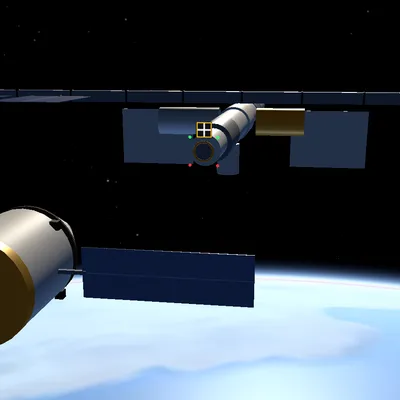
Real-physics 3D space simulator: launch a rocket, reach orbit, dock with the station, re-enter and fly to the Moon!
About the game
Spaceship: Orbit Simulator is a 3D spaceflight game for your browser that runs on real orbital mechanics. Earth is drawn with NASA's Blue Marble and Black Marble satellite imagery: continents, oceans and drifting clouds on the day side, glowing city lights on the night side and a thin blue line of atmosphere on the horizon. The stars come from a real bright-star catalog, so the constellations sit in their true places. Your career starts on a launch pad at real-world coordinates. You ignite a multi-stage rocket, manage the throttle, ease off through Max-Q, drop each stage when it runs dry and pitch east in a gravity turn until you pass 100 kilometers, the edge of space. Then you learn apoapsis and periapsis, settle into a stable orbit and raise and circularize it with a Hohmann transfer. The map shows your predicted orbit with Ap and Pe markers, the navball shows prograde, retrograde, normal and radial directions, and time warp goes up to 10,000 times. Later missions launch you from an equatorial spaceport to feel the speed Earth's spin gives you for free, send you to catch a station in a 400-kilometer, 51.6-degree orbit at the right transfer window, and have you line up with its docking port using RCS thrusters in six axes. You turn the heat shield into the airflow, deploy the parachute at the right altitude and splash down inside a target zone. At the end of the career you fly 384,400 kilometers to the Moon, get captured into lunar orbit and come home. Short coaching hints explain each step and can be switched off. In free flight you can launch from four different pads or start next to the station. Your progress is saved, and it is free to play with no download or sign-up.
How to play
- Press LAUNCH (Space); follow the green guidance marker, manage the throttle and STAGE when a stage runs dry.
- Cut the engine when apoapsis reaches the target, warp time and burn PROGRADE at apoapsis to circularize.
- Open the map (M): your predicted orbit, Ap/Pe and targets are shown there. Burn at the transfer window to reach the station.
- Line up with the docking port using RCS and close in below 0.4 m/s to dock.
- To come home, burn RETROGRADE, drop the service module, keep the heat shield in the airflow and deploy the parachute.
Controls
Touch: the left stick steers the nose (translates the ship when RCS is on) and the right slider is the throttle; LAUNCH/STAGE/PARACHUTE, SAS, RCS, MAP, CAMERA and time-warp buttons sit at the bottom right, drag the screen to orbit the camera and pinch to zoom. Keyboard: W/S, A/D, Q/E to steer; Shift/Ctrl throttle, Z full throttle, X cut engine; Space launch/stage; G parachute; T SAS, 1-0 SAS modes; R RCS, I/J/K/L and H/N to translate; M map, C camera, comma/period time warp; P pause.
FAQ
Is the physics in Spaceship: Orbit Simulator real?
Yes. It uses Earth's real radius, gravitational parameter and rotation; orbits are solved with two-body Kepler equations and powered flight with numerical integration. The atmosphere is a simplified US Standard Atmosphere table, and the Moon trip uses the patched-conic method.
Where does the Earth imagery come from?
The day imagery is NASA Blue Marble: Next Generation, the city lights are NASA Black Marble 2016 and the Moon comes from NASA LRO data, all in the public domain. The stars come from the Yale Bright Star Catalogue. The full source list is behind the ⓘ button in the game.
What happens if I fail a mission?
If the rocket breaks up, the capsule burns up, you run out of fuel or you hit the station, the mission ends and the reason is shown on screen. You can watch a short ad to retry the same mission or start the career over.