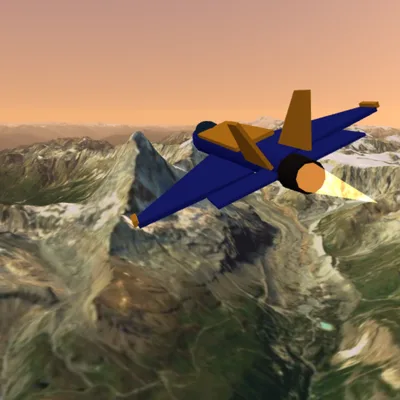
Fly over real satellite maps and real mountains: Istanbul, Cappadocia, the Alps, Everest. Free plane game, no download.
About the game
Flight Simulator: Real World is a 3D flight simulation that runs in your browser and combines real satellite imagery of the planet with real elevation data. The land sliding beneath your wings is not a game map: the bends of the Bosphorus in Istanbul, the valleys of Cappadocia, the sharp summit of the Matterhorn, the depth of the Grand Canyon, the cone of Mount Fuji, Guanabara Bay in Rio, the palm island off Dubai, New York Harbor and the Everest region are built on the fly from satellite photos and digital elevation models. Terrain streams in coarse first and sharpens as you get closer, the sea reflects the sky and the sun, and the horizon fades into haze. Runways sit at real airport coordinates and headings. Career mode holds 21 missions: a first takeoff from Atatürk Airport, a ring tour over the Bosphorus, a landing in Cappadocia, a seaplane touchdown on the water off Antalya, a pass beside the Matterhorn, a dive into the canyon and an approach to Lukla, one of the toughest runways on Earth. In each mission you fly through orange rings in order and, when required, touch down softly within vertical speed and alignment limits and bring the plane to a stop. Time, accuracy and gentle landings earn stars; when a mission ends the next one starts without a break, and after 21 missions MASTER missions with stronger winds continue forever. Three generic aircraft, a light trainer, a seaplane and a jet, fly with different weight, speed and response, and a new livery unlocks every three missions. In Free Flight you pick one of ten places and explore without failing; crash and you respawn in the air. The flight model calculates lift, stall, drag, flaps, landing gear and ground contact while staying forgiving enough for beginners. Play with a virtual stick, throttle slider and optional tilt steering on phones, or keyboard and mouse on a computer; your progress is saved on your device. No sign-up or download needed. Data sources: Sentinel-2 cloudless 2016 satellite imagery (s2maps.eu by EOX IT Services GmbH, contains modified Copernicus Sentinel data 2016, CC BY 4.0), AWS Terrain Tiles elevation data (Mapzen; USGS, NASA SRTM, NOAA ETOPO1, Copernicus EU-DEM and others), NASA GIBS fallback imagery and OurAirports runway coordinates. The full attribution list is in the in-game ⓘ panel.
How to play
- Press the big ▶ MISSION button in the menu; in the first mission the plane starts on the runway at full throttle.
- At about 110 km/h lift the nose (pull the stick down or press ↓ / S), then bank to turn once airborne.
- Fly through the orange rings in order; the on-screen arrow, light beam and mini map show the way.
- On landing missions reduce throttle, extend flaps, line up with the runway, touch down under the vertical speed limit and stop.
- Collect stars, unlock the seaplane, the jet and new liveries in the Hangar, or explore the world in Free Flight.
Controls
Touch: drag your finger on the left half of the screen — virtual stick (pull down: nose up, sideways: roll). The vertical slider on the right sets throttle; FLAP, GEAR (jet) and BRAKE buttons sit next to it. The 📱 button turns on tilt steering. Computer: W/S or ↑/↓ pitch (W nose down), A/D or ←/→ roll, Q/E yaw, Shift/Ctrl or +/− throttle, F flaps, G landing gear, B or Space brake, C cockpit/chase camera, M large map, P pause. You can also hold the left mouse button and drag to use the stick. Pitch can be inverted in Settings.
FAQ
Is the map in the game real?
Yes. The terrain is built during flight from the 2016 cloudless Sentinel-2 satellite imagery and AWS Terrain Tiles elevation data, so mountains, valleys and coastlines appear at their real positions and heights. Buildings are not modeled separately, so cities appear as satellite photos. Runways are placed at real airport coordinates.
What happens if I crash?
In career mode a crash or an out-of-limits hard landing ends the mission and the reason is shown on screen. You can optionally watch an ad to fly the same mission again from its start; otherwise the career restarts from mission 1. Unlocked aircraft, liveries and stars are kept. In Free Flight you simply respawn in the air.
Does it run smoothly on phones, and does it need internet?
An internet connection is needed because terrain tiles stream in while you fly. The game shows low-resolution tiles first and then refines them, limits how many tiles download at once and adapts its resolution to your device's speed; it is designed to play smoothly on mid-range phones.