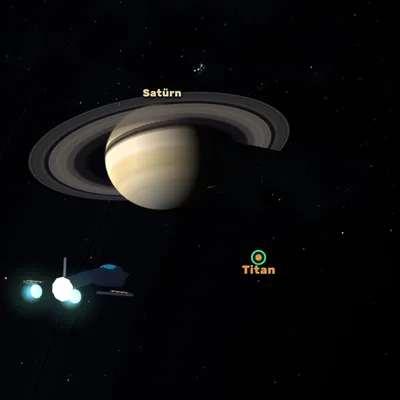
Fly a spaceship through the real Solar System: today's planet positions, orbit insertion, Moon and Mars landings, Saturn's rings.
About the game
Space Voyage: Solar System is a true-scale space flight simulator. The planets, the Moon and the major moons sit exactly where they really are in the sky on today's date; their positions are calculated from orbital data published by NASA's Jet Propulsion Laboratory. The distances are real too: Neptune is billions of kilometers from Earth and your ship is a tiny dot in all that emptiness. That is why you can speed up time up to ten million times and use a fictional warp drive to make a cinematic trip from one world to the next at ten times the speed of light. When you arrive, the real flying begins: slowing down to lower your orbit, circularizing at the lowest point, and entering and leaving the spheres of influence of moons all follow real orbital physics, and a predicted path line shows where you are heading. In the Exploration career the missions flow one into the next: enter a low orbit around the Moon, touch down softly with the lander, scan the Olympus Mons volcano on Mars, land on almost gravity-free Phobos and through the thin air of Mars, visit Jupiter's four Galilean moons, cross Saturn's ring plane through the Cassini Division, study Titan's haze and the ice plumes of Enceladus, slingshot around Jupiter out to Neptune, and photograph backwards-orbiting Triton and Pluto's heart. After every mission a fact-checked fact card appears. Crash into a surface, fly too close to the Sun's corona or run out of fuel and the mission is over. In Free Exploration mode fuel is unlimited, you can change the date anywhere between 1900 and 2050, and the encyclopedia shows every body's diameter, mass, gravity, day and year length, moons and temperature. Textures come from NASA, USGS and Solar System Scope. Free to play with no download or sign-up on phone, tablet and computer.
How to play
- Tap a planet or moon to target it (on a computer, Tab cycles through targets).
- Press WARP (or Space): your ship makes a cinematic trip to the target.
- Lower your orbit with ▼ SLOW DOWN, speed up time and press ORBIT at the lowest point to circularize.
- Press SCAN when the target is in range and LAND near a landing site; slow the lander with THRUST and touch down softly.
- Read the fact card when a mission is done; the next mission starts by itself.
Controls
Touch: tap a body to target it, drag to rotate the camera and pinch to zoom. The maneuver stick at the bottom left pushes the ship relative to the camera; the ▲ SPEED, ▼ SLOW, ◀ IN and OUT ▶ buttons push along your orbit. WARP, ORBIT, SCAN and LAND are at the bottom right, and time speed changes with − and + at the bottom left. When landing, hold the big THRUST button and slide sideways with the stick. Computer: rotate the camera with the mouse and zoom with the wheel, push relative to the camera with W A S D Q E, use the arrow keys to speed up, slow down and push in or out, Space to warp, Tab to change target, O orbit, F scan, L land, comma and period for time speed, V focus, B encyclopedia, C constellations, P pause. When landing, Space or W thrusts and A and D slide sideways.
FAQ
Are the planet positions in the game real?
Yes. Planet positions are calculated for today's date and time from NASA JPL's approximate orbital elements, the Moon's position from an astronomical formula and the major moons from JPL Horizons data. They match the real sky to within about a degree. In Free Exploration mode you can change the date anywhere between 1900 and 2050 to look into the past or the future.
Is the warp drive real?
No, the warp drive is fiction: in the game you travel at ten times the speed of light so that trips between planets take seconds instead of years. Real spacecraft are much slower; Voyager 2, for example, took 12 years to reach Neptune. The game shows this difference on every warp trip by telling you how long light would take for the same journey. The orbits, landings and gravity assists after you arrive follow real physics.
What happens if I fail a mission?
If you crash into a surface, burn up in the Sun's corona or run out of fuel, the game is over and the reason is shown on screen. You can watch an optional ad to retry the same mission; otherwise the career starts again from the first mission. The bodies you have discovered and the encyclopedia always stay saved. There is no game over in Free Exploration mode.